Try a two-photo cast
For vocals plus sax, use CAST: @Image1 is lead vocals; @Image2 is saxophone; invent a keyboard player and two distinct backing vocalists. Keep those roles unchanged through every cut.
The prompt below assumes five uploaded portraits. With fewer photos, rewrite its CAST paragraph: number only the photos you supply and explicitly invent the missing musicians. Never shift the sax player into a backing-vocal role just because a box is empty.
PROMPT
Use this in a video tool that supports a reference clip and photos. See the setup steps below.
The reference clip and prompt are already set up. Add your photos below and pay once to generate your video.
Written for this template’s cast and scene options. The linked creator post is a visual reference. Results vary by model and photos.
1 reference video + 1–5 photos
@Video1Reference videoProvided@Image1Lead vocalsRequired@Image2KeyboardOptional@Image3SaxophoneOptional@Image4Backing vocals · leftOptional@Image5Backing vocals · rightOptionalKit: reference video, prompt & photo checklist. Bring your own photos.
Use as a starting point. Results depend on your chosen video tool.
TEMPLATE · BAND & MUSIC
Put your own band behind the desk. Choose a lead vocalist, then add up to four friends or pets for the instruments and backing vocals. Empty roles become fictional bandmates.
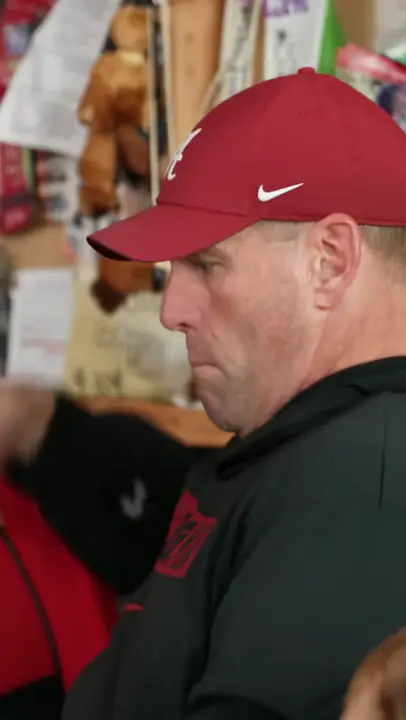
ExampleCreator examples from public posts, shown for reference. Not made with AI Trend Clips. Sources: @theburnerfromhe11
Start with your lead singer. The rest of the band is optional.
One clear portrait of an adult or pet for the close-ups.
Plays the keys in the group shots.
Takes the instrumental solo.
Sings on the left of the band.
Sings on the right of the band.
Setting
Checking template availability…
Still needed: Lead vocals
HOW TO USE IT
Use the credited 19-second desk-band clip as @Video1 in a video-reference model such as Seedance 2.5. Choose 19 seconds, 9:16 and 720p, then supply separate identity photos as @Image1 onward. This is a video-reference setup, not text-only generation.
Each tag in the prompt points to one upload: @Image1 = Lead vocals · @Image2 = Keyboard (optional) · @Image3 = Saxophone (optional) · @Image4 = Backing vocals · left (optional) · @Image5 = Backing vocals · right (optional).
Match the prompt’s reference labels to your tool’s input names. Keep each photo assigned to the same role when you paste the prompt.
Check every close-up · Check the instruments
MAKE IT YOURS
For vocals plus sax, use CAST: @Image1 is lead vocals; @Image2 is saxophone; invent a keyboard player and two distinct backing vocalists. Keep those roles unchanged through every cut.
TROUBLESHOOTING
Check photo order against the CAST paragraph. Name all five roles, including invented ones, and keep one subject per photo.
Do not add more audio promises to the prompt. Review the generated sound, then use your platform’s licensed music library when posting.
GOOD TO KNOW
Yes. It provides camera moves and the sequence of vocal, band and sax shots. A single still image cannot provide those timing cues.
Add your photo, pay once and download your video in minutes.