Change the performer's identity
Replace the portrait while keeping the clothing, scene and target description fixed. Use your own photo or a consenting adult's.
Use the street freestyle clip as @Video1 and your portrait as @Image1. Name the central performer explicitly so the surrounding people are left alone.
PROMPT
Use this in a video tool that supports a reference clip and photos. See the setup steps below.
The reference clip and prompt are already set up. Add your photos below and pay once to generate your video.
Adapted from public prompt guides for this template’s photo roles. You can copy and edit our version. Results vary by model and photos.
1 reference video + 1 photo
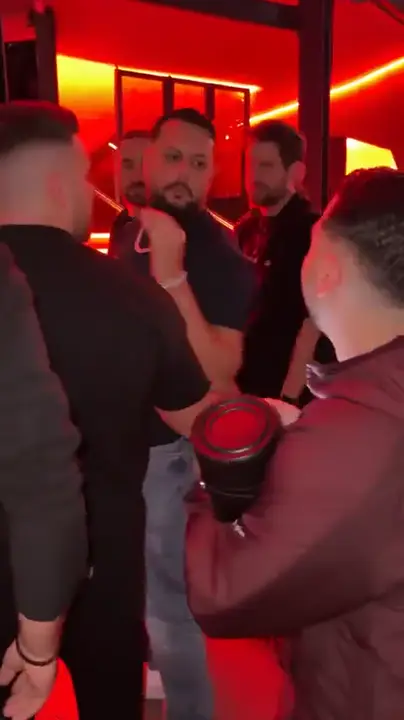
@Video1Reference videoProvided@Image1The performerRequiredKit: reference video, prompt & photo checklist. Bring your own photos.
Use as a starting point. Results depend on your chosen video tool.
TEMPLATE · FREESTYLE
Take the central performer's place in the street freestyle scene. Your face and hair, with the reference's black shirt, chain, crowd and camera moves.
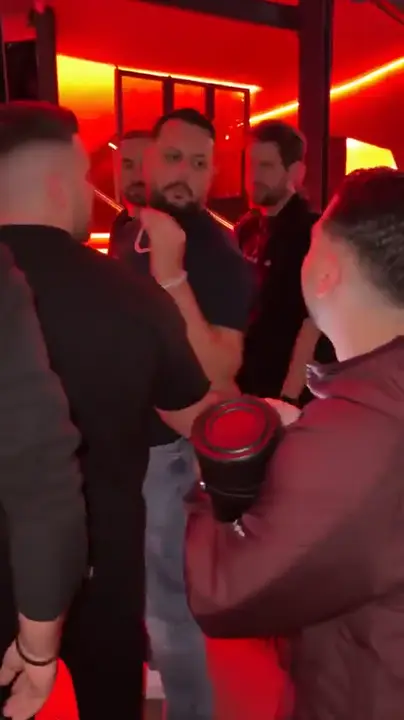 1 / 2
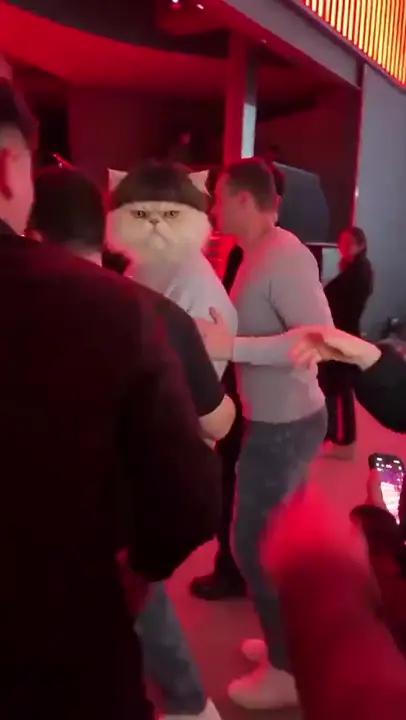 2 / 2
Creator examples from public posts, shown for reference. Not made with AI Trend Clips. Sources: @visjanukcenaj, @adolfo___angel
Upload only the central performer's portrait. The speaker holder and the surrounding crowd keep their own faces.
One adult, chest or waist up, with the entire face visible. No sunglasses or hands over the mouth.
Checking template availability…
Still needed: The performer
HOW TO USE IT
The street-performance clip with the central performer, speaker holder and crowd. Keep the original vertical crop so the target remains identifiable.
Each tag in the prompt points to one upload: @Image1 = The performer.
Match the prompt’s reference labels to your tool’s input names. Keep each photo assigned to the same role when you paste the prompt.
Only the performer changes · No original face returns · Gestures follow the rhythm
MAKE IT YOURS
Replace the portrait while keeping the clothing, scene and target description fixed. Use your own photo or a consenting adult's.
If you add a platform sound, align it to the same video cut. A different start point can put gestures and audio out of sync.
TROUBLESHOOTING
Keep the instruction that only the central performer changes. Use a single-person photo and retain the reference's original framing.
State that the replacement identity must stay through every close-up and obstruction. Check the full clip, not just its first frame.
Preserve the reference timing and avoid adding dialogue instructions. A sharper mouth reference can help, but exact lip matching is not guaranteed.
GOOD TO KNOW
Yes. Match the reference labels to that tool's upload order. The prompt is a starting point; different models can produce different results.
Add your photo, pay once and download your video in minutes.