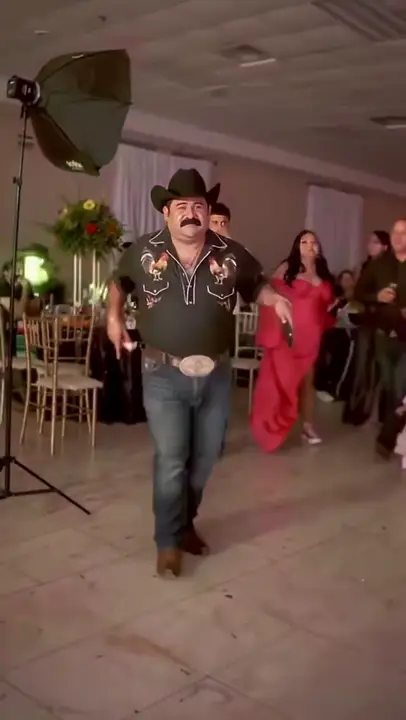
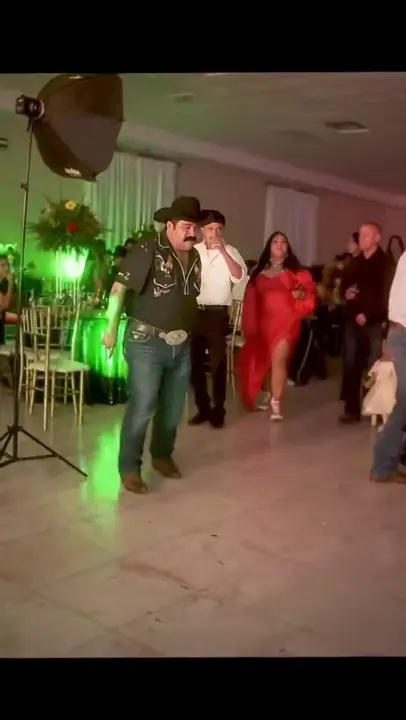
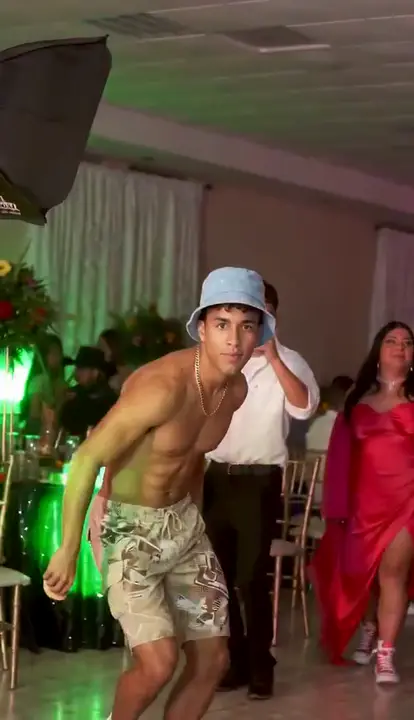
Add the dance clip as @Video1 and one full-body photo as @Image1. Keep the prompt tied to that clip instead of mixing movements from different versions.
PROMPT
The prompt, ready to copy
Use this in a video tool that supports a reference clip and photos. See the setup steps below.
Prefer us to make it?
The reference clip and prompt are already set up. Add your photos below and pay once to generate your video.
Adapted from public prompt guides for this template’s photo roles. You can copy and edit our version. Results vary by model and photos.
Use a full-body photo of the person taking the main dancer's place. Keep the face, arms and legs easy to see.
JPG, PNG, WebP · up to 10 MB0/1 photos selected
Required
One adult, head to shoes, facing the camera. Avoid hands covering the mouth.
Click or drop a photo
Checking template availability…
Still needed: The dancer
Secure checkout by Stripe
Full refund if it can’t be made
Photos deleted after 30 days
HOW TO USE IT
Use the prompt with a reference video
01
Add the reference clip
A complete dance clip with the approach, bread bite and turn. Use the same cut for motion and sound; changing the cut can change the timing.
02
Add your photos in order
Each tag in the prompt points to one upload: @Image1 = The dancer.
03
Paste the prompt
Match the prompt’s reference labels to your tool’s input names. Keep each photo assigned to the same role when you paste the prompt.
04
Check before you post
Keep the dance · One piece of bread · The same person after the turn
MAKE IT YOURS
What you can change
Keep the original costume
For a face and hair change in your own tool, replace “Use that photo for the dancer's face, hair, body proportions and outfit.” with “Use @Image1 for the dancer's face and hair. Keep the dancer's body proportions and outfit from @Video1.”
Use a different reference edit
Watch the new reference from start to finish. Update the opening identification, “the foreground dancer identified in the source by the black cowboy hat, embroidered western shirt and large belt buckle”, to describe the intended dancer's visible position and clothes in that clip. Then update the action paragraph to match its sequence, including whether it contains the bread bite, return or pointing gesture.
TROUBLESHOOTING
Common problems and fixes
The dancer only walks
Keep the source video as the motion reference and ask to preserve its body rhythm and footwork.
The bread changes shape
Keep one stable piece of bread and ask for continuous hand-to-mouth contact. Avoid adding new props.
The original face comes back
Specify the same identity before and after the turn, and use a sharp photo with the entire face visible.
GOOD TO KNOW
Questions before you start
Can I use this prompt in another tool?
Yes. Match the reference labels to that tool's upload order. The prompt is a starting point; different models can produce different results.
More trend templates
Each one has its own photo requirements and prompt.