One identity, three positions
Use one clear photo for the dancers at left, center and right.
Use one person's photo as the identity reference for all three dancers.
PROMPT
Use one photo as the identity reference in an image-to-video tool.
The story and settings are already prepared. Add your photos below and pay once to generate your video.
Written for this template’s cast and scene options. The linked creator post is a visual reference. Results vary by model and photos.
1 photo · no reference video needed
@Image1DancerRequiredKit: prompt & photo checklist. Add your own photos as separate identity references.
Use as a starting point. Results depend on your chosen video tool.
TEMPLATE · DANCE
Add one photo for a 12-second dance with three realistic copies of the same person in the frame. Results vary with the photo.
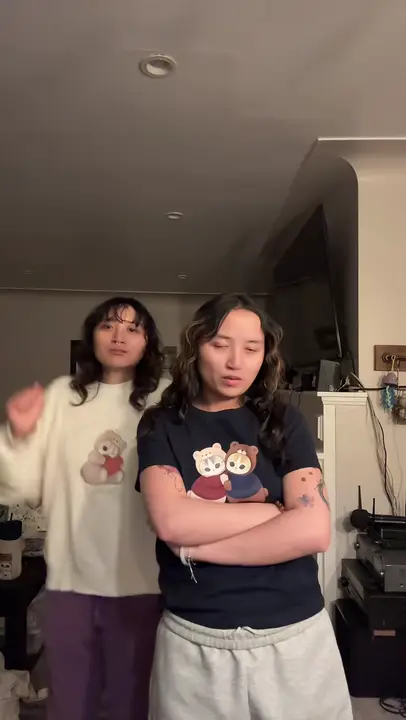 Example
Creator examples from public posts, shown for reference. Not made with AI Trend Clips.
Choose one clear photo of a person. The template uses it for all three dancers.
One clear photo of one adult.
Checking template availability…
Still needed: Dancer
HOW TO USE IT
Use an image-to-video model with one photo of one person. Set 12 seconds, vertical 9:16 and 720p where available.
Each tag in the prompt points to one upload: @Image1 = Dancer.
Match the prompt’s reference labels to your tool’s input names. Keep each photo assigned to the same role when you paste the prompt.
Three matching dancers · Movement
MAKE IT YOURS
Use one clear photo for the dancers at left, center and right.
TROUBLESHOOTING
Try a clearer photo and review each dancer's face and clothing throughout the clip.
GOOD TO KNOW
The audio is AI-generated; the original song is not guaranteed. Add the song from your platform's music library when you post.
Add your photo, pay once and download your video in minutes.